Integration Testing in a Development Environment With SpecFlow — Part 1: Cassini
When developing web applications on anything other than a trivial scale, anybody who is anybody in the community will likely tell you that testing is an absolute must. Their rationales will be hard to argue and probably along the lines of:
· You can refactor with confidence
· You have documentation for your code
· You know what works and what still needs working on
· You will be alerted of any breaking changes you make
Integration testing tests your entire stack working together. But when this is a web application, and you are in a development environment, you need a web server for an accurate simulation. So in this series of blog posts, I’ll be showing what I know about, and what I use for, integration testing.
In this particular post, we’ll be looking at the Cassini web server.Using Cassini
Enabling integration tests in a development environment was first presented to me in the book Testing ASP.NET Web Applications. So any code shown that involves Cassini will be based on what I learnt from this useful book.Implementing Cassini
To demonstrate using Cassini, I will create a demo ASP.NET MVC 3 beta application. As part of this I’ll be using Watin, NUnit and obviously SpecFlow.
**Important: **If you plan to use this approach then please read the conclusion — there is important information you definitely need to know.
Let’s get started:Creating the Environment
-
Create an ASP.NET MVC 3 application — specifying your favourite view engine (I’ll use Razor — but I love Spark) and choose internet application as opposed to empty (so we don’t have to do our own CSS).
-
Now add a separate class library for our specs. Following the convention of a real project, let’s call it Specs.Integration.
-
Now add your references to Nunit, Watin & SpecFlow in Specs.Integration (I used the awesome NuPack for Watin. Nunit is on there, too).
-
At this point we need to add a reference to Cassini.dll in Specs.Integration AND the web project. If you don’t have this dll on your machine, then you can get it as part of the Spark view engine download (and learn a *real *view engine at the same time).
-
To get Watin working, we’ll also need to add some configuration. This is easily achieved by adding an xml file called App.config to the root of Specs.Integration consisting of the following markup:Setting up an Imaginary Scenario
For this stage, I’m just going to add an overload to the Home/Index action that accepts a string. If that string is “WebSecurityEssentials” then we will be redirected to the OWASP website.The Specs
Based on what I’ve just said, the specs will be pretty obvious. So by adding a SpecFlow feature file to Specs.Integration, we can document our application’s only requirement.
Here is that feature file, which I’ve named “SpecialHomePageInputValuePerformsSpecialRedirect.feature”:
Feature: Special Home Page Input Value Performs Special Redirect
In order to demonstrate integration testing with SpecFlow
As a blogger
I need to redirect to a secret web site when the secret value is entered
Scenario: User Enters Secret Value on Home Page
Given I am viewing the home page
When I enter WebSecurityEssentials in the special value text box and submit the form
Then I should be redirect to www.OWASP.org
With some pretty solid specs, we can now add our step definitions which should be quite easy. For now, the use of a web server will be ignored.
Adding the steps is easy: add a new SpecFlow step file to Specs.Integration naming it identically to the feature file (excluding file extension). After doing that myself, I pointed to Specs.Integration and hit “run unit tests” on the contexts menu. In the testing window, I then get the un-implemented step definitions I can copy and past into my step file.
Having implemented the steps, here’s what I now have:
using NUnit.Framework;
using TechTalk.SpecFlow;
using WatiN.Core;
namespace Specs.Integration.Steps
{
[Binding]
public class SpecialHomePageInputValuePerformsSpecialRedirect
{
private IE _browser;
private const string SpecialInputTextBoxID = “abcdefg”;
private const string HomePageUrl = @”http://localhost:8090/Home/Index”;
public SpecialHomePageInputValuePerformsSpecialRedirect()
{
_browser = new IE();
}
[Given(@”I am viewing the home page”)]
public void GivenIAmViewingTheHomePage()
{
_browser.GoTo(HomePageUrl);
}
[When(@”I enter (.*) in the special value checkbox and submit the form”)]
public void WhenIEnterWebSecurityEssentialsInTheSpecialValueCheckbox(string secretInputValue)
{
var specialInputTextBox = _browser.TextField(SpecialInputTextBoxID);
specialInputTextBox.TypeText(secretInputValue);
_browser.Buttons.First().Click();
}
[Then(@”I should be redirect to www.OWASP.org”)]
public void ThenIShouldBeRedirectToWww_OWASP_Org()
{
var currentBrowserUrl = _browser.Url;
// sometimes browsers and url casings can mess up tests — lets go ToUpper() to remove any potential issues
Assert.IsTrue(currentBrowserUrl.ToUpper().Contains(“WWW.OWASP.ORG”), “We were not redirected to the OWASP web site”);
}
}
}
Obviously, none of this will work because the main application is still the un-touched default MVC 3 beta web site. Also, there is still no web server. However, let’s just tackle the first issue: add a form, text box (id & name specified in step file) and submit button to the Home/Index view. Then add the overload to the Home/Index action that performs the redirect if the required value is submit. I won’t show this code, but just trust me that it works.Setting up the Web Server — Cassini
My specs still cannot be tested because the application is not being hosted by a web server. Sure I could start it up in Visual Studio, but that’s not going to help integration testing. So to use Cassini programmatically to host my application, I’ll add a static class to Specs.Integration (explain why shortly) that can be used to start and stop Cassini and to also specify which site to host.
Here is that class, and below it is an explanation of its workings:
using System;
using System.Diagnostics;
using System.IO;
using Cassini;
using TechTalk.SpecFlow;
namespace Specs.Integration
{
[Binding]
public static class WebServerStepsEnvironmentManager
{
private static Server _webServer;
public static string ServerUrl
{
get { return String.Format(“http://localhost:{0}/”, ServerPort); }
}
public static string ServerPhysicalPath
{
get { return new DirectoryInfo(AppDomain.CurrentDomain.BaseDirectory).Parent.Parent.Parent.FullName
- “\SpecFlowIntegrationTesting”;}
}
public static int ServerPort { get { return 8090; } }
[BeforeFeature(new[] {“WebServer”})]
public static void Setup()
{
string virtualDirectory = “/”;
try
{
_webServer = new Server(ServerPort, virtualDirectory, ServerPhysicalPath);
_webServer.Start();
Debug.WriteLine(String.Format(“Started Port:{0} VD:{1} PD{2}”, ServerPort, virtualDirectory, ServerPhysicalPath));
}
catch (Exception ex)
{
Debug.WriteLine(String.Format(“Error starting web service” + ex.Message));
}
}
[AfterFeature(new[]{“WebServer”})]
public static void TearDown()
{
try
{
if (_webServer != null)
{
_webServer.Stop();
_webServer = null;
}
}
catch (Exception ex)
{
Debug.WriteLine(“Tear down error: “ + ex.Message);
}
}
}
}
The four important components above are the ServerPhysicalPath which needs to point to the folder containing the web site you want to load, the ServerPort which you can correlate in web.config, and the two SpecFlow attributes:
[BeforeFeature(new[] {“WebServer”})] — Run the code in the method adorned by this attribute before every feature that has the @WebServer tag.
[AfterFeature(new[]{“WebServer”})] — Run the code in the method adorned by this attribute after every feature that has the @WebServer tag.
Quick points to note:
· The methods have to be static to use these attributes.
· Starting and stopping the web server is an expensive task in terms of performance, so I do it before and after every feature — not every scenario in a feature
If you don’t know how to use tags in SpecFlow, check this out:
@WebServer
Feature: Special Home Page Value Performs Special Redirect
This is actually an extract from my updated step file, so now I should actually be able to run the integration tests. Assured that my code will start the web server, host my application, and close down the server when it is finished.The Results Are In
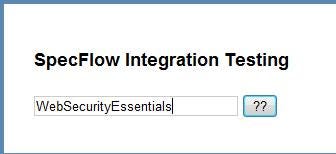
Below is a screen shot from each step in the test — which I’ve taken from the Internet Explorer window where all interactivity is automated by Watin (based on the instructions in the step definitions).
**Above: **Watin enters the special input value in the mysterious text box

**Above: ***The application likes the secret value and takes us to an invaluable web security resource (that should not be secret)*Conclusion
Happy days — we can now automate integration testing in a development environment? Time for some beers and peanuts? Er…..
….using this approach the first time raised a few questions — which I followed up by discussing with an ASP.NET team member and other developers. The harsh words were, that ‘Cassini is Evil’ — quite literally. For more information why this is check this Cassini is Evil. In short, there are big differences between Cassini and IIS which may trip you up or let defects go undetected. If your client was the first to find these, then….no, let’s stay positive.
So, in spite of Evil Cassini, I personally feel that it can find errors during integration such as authentication rules. In an ASP.NET MVC application, you need some web server simulation so that your filters will work – and this is generally how most people apply authorisation rules.
I also feel that if you accept that this approach can be used to find errors, but not confirm errors do not exist, (even if you test for them) then you may gain small benefits. Not getting too confident based on these specs passing is critical and will need to be employed by the whole development team.
Personally, unless for some reason I am totally desperate (insert quip here), I will never be using this approach. Further, I don’t even use Cassini as my local development server anymore. So what do I do?…….
…to be continued