Zip-Me-Quick — Rapid Zip File Creation In C#
Many scenarios in the life of a .NET developer may require the compression of files into a zip. If you want to do it rapidly, if you want to add multiple files, if you want to include directories — then out-of-the-box support from the .NET framework is not too great.
With a little help from this open source project by Sharp Develop, you can achieve all the above goals. I’m about to show you how I created a small abstraction of these libraries to give myself a rapid zip-creating service.
For a bit of fun I’ll knock up an ASP.NET MVC 3 web app and show how you could use this tool.Zip Abstraction
With a reference to the ICSharpCodeZipLib.dll in your project, you can produce a simple abstraction for creating zip files like so:
public class ZipMeQuick
{
public byte[] CreateZip(Dictionary<string, byte[]> files, string extension = “”)
{
var outputMemStream = new MemoryStream();
var zipStream = new ZipOutputStream(outputMemStream);
foreach (var file in files)
{
var zipEntry = new ZipEntry(file.Key + extension);
zipEntry.DateTime = DateTime.Now;
zipStream.PutNextEntry(zipEntry);
var fileStream = new MemoryStream(file.Value);
StreamUtils.Copy(fileStream, zipStream, new byte[fileStream.Length]);
}
zipStream.IsStreamOwner = false;
zipStream.Close();
return outputMemStream.ToArray();
}
}
You pass this method only a dictionary of file names with file data and it returns you a zip file with them all in. Should this be your only zipping requirements then the hard work is all done.Can We Get Directories With That?
If a simple zip with all the files in one directory is not adequate, then a bit more work is required. Not a lot mind, but it does change the rules of the game a little.
public void AddDirectoryToZip(string directoryPath, ZipOutputStream zipStream)
{
var directory = new ZipEntry(directoryPath);
zipStream.PutNextEntry(directory);
}
Looking at the code above, it is clearly no trouble adding a directory; just create a new ZipEntry with the desired directory path (you are still required to add the ZipEntry to the ZipStream). What this does mean though, is that ZipEntries now have to be added with their full directory path. I use the following method to streamline such tasks.
public void AddFileToZip(ZipOutputStream zipStream, string directoryPath, string fileName, byte[] data)
{
var zipEntry = new ZipEntry(Path.Combine(directoryPath, fileName));
zipEntry.DateTime = DateTime.Now;
zipStream.PutNextEntry(zipEntry);
var fileStream = new MemoryStream(data);
StreamUtils.Copy(fileStream, zipStream, new byte[fileStream.Length]);
}Unleash The Zipper
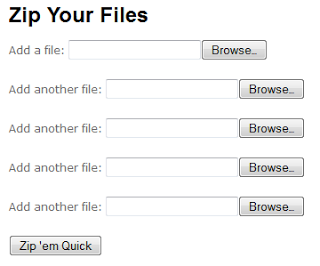
A web application is a great example of where you may want to download multiple files at once. So here is a quick example of doing so: a user uploads multiple files in a form, and they get returned as a zip file via the ZipMeQuick service.
Now we have a form:
And an action to post to:
[HttpPost]
public FileResult Index(IEnumerable
{
Dictionary<string, byte[]> filesToZip = CreateDictionary(files);
var zipMeQuick = new Services.ZipMeQuick();
byte[] zipFile = zipMeQuick.CreateZip(filesToZip);
return File(zipFile, “application/zip”, “YourFilesZipped.zip”);
}
Zip file is all yours:
 Conclusion
Unfortunately there was no glitz, glamour or panache in this blog post — which was intentional (and not down to uncharismatic genetics). My point being that creating zip files is made very easy with the ICSharpCodeZipLib. By then adding a little abstraction of your own, you can make creating zip files as easy as creating string arrays.
Whilst I touched on directories, and showed how to add them, you are expected to put the last piece in the jigsaw if you want a fully working example. And whilst you’re there you can check out some of the other features your zip files may need to include e.g. password protection, compression level etc.
Remember to thank the guys at SharpDevelop and consult their forum if you need to further satisfy your intrigue.