Automating Spec to PR with Mastra AI
I replaced my home-rolled agent workflow engine with Mastra. Here's what I've learned so far.
Once you’ve written a spec, you need to implement it. I’ve been trying to automate this part of my workflow for about a year. What I want is a PR that has been auto-reviewed and requires one last check from me before it’s merged.
At first I built a workflow using markdown files. Way too fragile. I quickly realised that I don’t want to waste my life praying agents follow instructions in markdown files. Then I tried automating with the Claude SDK, and then building an event-sourced workflow engine based on hooks, which worked pretty well.
But building and maintaining my own solution was very time consuming.
I also ran into another problem: Claude was getting expensive, and frustrating. I wanted to use other models and try open source. But my workflow was all built in Claude. So I ended up building abstraction layers and adapters for Opencode, Codex, and PI (because they all have their own SDK and hooks frameworks). More edge cases, more to maintain. Most of my time spent fixing the workflow rather than building stuff.
Recently I found Mastra. You configure your workflow and it runs as its own process outside of any AI session. You can run the same workflow with any provider just by specifying a command line flag. And Mastra handles all the stuff I’d built myself like a workflow DSL, state machine operations, storage.
Now my workflow is this:
pnpm factory start-implementation 500 \
  --model zai/glm-5.3-flash \
  --thinking low
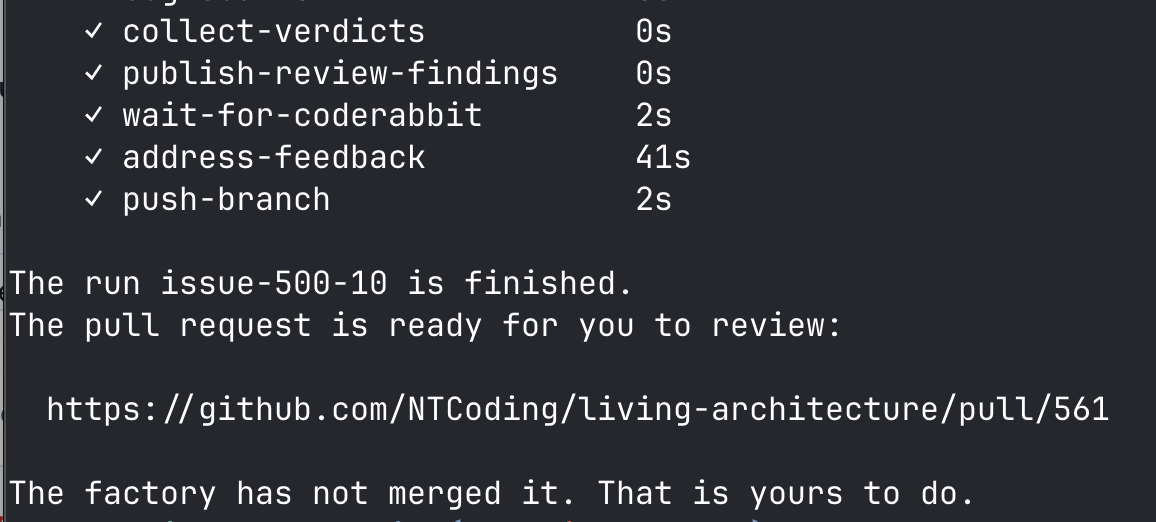
And a code-reviewed pull request comes out the other end. It’s a black box.
I’m right at the start of my journey with Mastra, here’s some of the most interesting stuff I’ve learned so far.
Mastra is the harness
Mastra is an “engine” and a harness. The main process is code gluing workflow steps together and applying rules. When you need an LLM to do something, Mastra takes your prompt and runs it. It doesn’t invoke Claude or Pi via CLI, it has its the harness (but it could invoke Claude CLI if you wanted it to). It does use your provider’s API for the actual LLM calls, though.
Now you’re decoupled from any provider and you can easily switch… If you’re happy to be coupled to Mastra. To be fair, I actually built a small abstraction layer so switching would be pretty trivial.
Because Mastra is the harness, you are not dealing with Claude code hooks or SDK. You use Mastra’s.
Defining a spec to PR workflow
To define a workflow, you use Mastra’s createWorkflow() where you chain your steps together. My workflow is something like this:
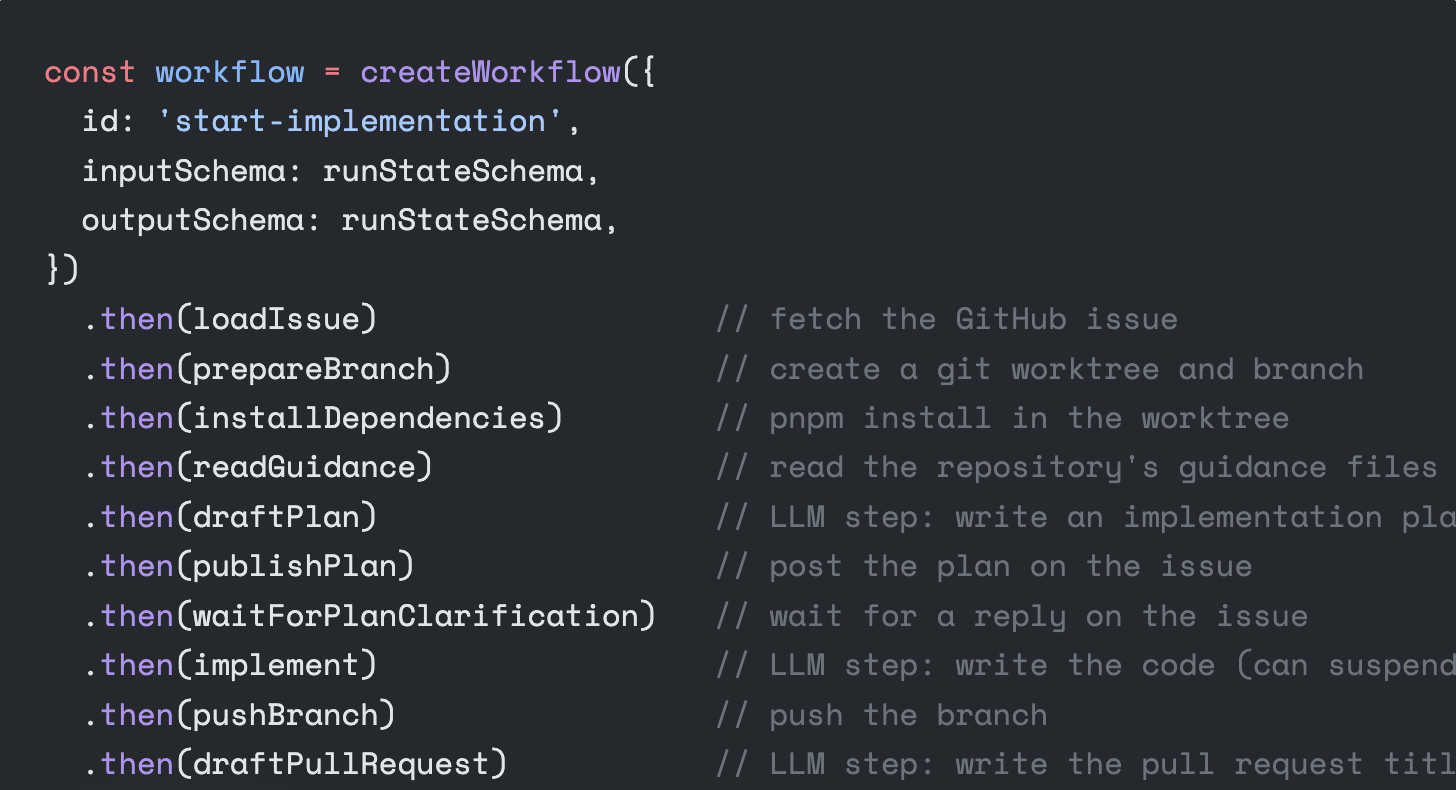
const workflow = createWorkflow({
  id: 'start-implementation',
  inputSchema: runStateSchema,
  outputSchema: runStateSchema,
})
  .then(loadIssue)                  // fetch the GitHub issue
  .then(prepareBranch)              // create a git worktree and branch
  .then(installDependencies)        // pnpm install in the worktree
  .then(readGuidance)               // read the repository's guidance files
  .then(draftPlan)                  // LLM step: write an implementation plan
  .then(publishPlan)                // post the plan on the issue
  .then(waitForPlanClarification)   // wait for a reply on the issue (if necessary)
  .then(implement)                  // LLM step: write the code (can suspend to ask a question)
  .then(pushBranch)                 // push the branch
  .then(draftPullRequest)           // LLM step: write the pull request title and body
  .then(openPullRequest)            // open the pull request on GitHub
  .then(openReviewCycle)            // switch from runStateSchema to reviewStateSchema
  .dountil(reviewCycle, (state) => state.approved || state.limitReached) // loop the reviews
  .then(markReadyForHuman)          // comment that the pull request is ready
  .commit()
A few things to pick out that I’ll explain more:
-
inputSchemaandoutputSchema: every step in the workflow takes a value and returns a value which must conform to a Zod schema. Here I’m lazy and use the same schema (it starts empty and gets gradually built up by each step), but each step can have its dedicated schema (I’ll probably do that soon). -
LLM vs code: some steps are pure code, others are LLM. More code and less LLMs is my love language.
-
openReviewCycleinvokes the review workflow (another workflow invoked from this one). -
Workflows can suspend waiting for human input and be resumed later.
-
dountil: you define the condition that ends the loop. Mine isapproved || limitReached, wherelimitReachedis a cap of 3 review cycles so the thing can’t sit there burning tokens forever.
Workflows inside workflows
My review cycle is its own workflow with its own steps, and the reviewCycle step just asks Mastra for it by name and starts it:
const cycle = await mastra.getWorkflow('review-cycle').createRun({
  runId: `${state.runId}-review-${state.cycleNumber}`,
})
const result = await cycle.start({ inputData: state })
That name comes from the registry you hand to Mastra at startup:
new Mastra({
  storage,
  workflows: {
    'start-implementation': startImplementation,
    'review-cycle': reviewCycle,
  },
})
Workflow steps
The DSL for workflow steps seems pretty nice to me so far. I was happy to see it handled all the stuff of my home rolled workflow engine and more.
Pure code steps
Most of the steps are pure code. I try to use pure code as much as possible. Anything that involves calling APIs or running commands locally I try to isolate from LLM work.
In this simple example we have one of the first steps, which reads the github issue to get the spec. It then returns the updated state object with the existing values and the issue body and title added.
const loadIssue = createStep({
  id: 'load-issue',
  inputSchema: runStateSchema,
  outputSchema: runStateSchema,
  execute: async ({ inputData }) => {
    const { stdout } = await execFileAsync('gh', [
      'issue', 'view', String(inputData.issueNumber), '--json', 'title,body',
    ])
    const issue = JSON.parse(stdout)
    return { ...inputData, issueTitle: issue.title, issueBody: issue.body }
  },
})
This is a POC and I was lazy (semi-vibe coding) so I just use the gh cli, but I’ll use a real github API client.
LLM steps
This step belows uses an agent to write a detailed implementation plan based on the spec which the implementer agent will implement in the next step.
Interesting things to note in the following example:
-
Agentis a Mastra abstraction. It’s their LLM harness. You pass in the model you want to use (inputData.modelcomes from a CLI flag) and other settings, no coupling to any other harness/provider. -
structuredOutputforces the model to respond in a schema. Themodelsetting insidestructuredOutputuses a second agent to deal with data extraction for extra reliability. See mastra docs -
timeris my naive mechanism to abort after 5 minutes (which is plenty for this step) that passes theabortSignalto the Mastra agent harness -
The agent returns a plan, it does not post it to github. The next step does that. This is what I mean about doing the minimum possible with LLMs and as much as possible in code. LLM steps are as thin as possible.
import { Agent } from '@mastra/core/agent'
import { createStep } from '@mastra/core/workflows'

const planSchema = z.object({
  markdown: z.string().min(1),
  needsInput: z.boolean(),
  question: z.string().nullable(),
})

const planner = (model: string) =>
  new Agent({
    id: 'planner',
    name: 'planner',
    model,
    instructions: PLANNER_INSTRUCTIONS,
  })

const draftPlan = createStep({
  id: 'draft-plan',
  inputSchema: runStateSchema,
  outputSchema: runStateSchema,
  execute: async ({ inputData }) => {
    const abort = new AbortController()
    const timer = setTimeout(() => abort.abort(), 5 * 60 * 1000)
    try {
      const response = await planner(inputData.model).generate(planPrompt(inputData), {
        maxSteps: 1,
        abortSignal: abort.signal,
        providerOptions: {
          [inputData.model.split('/')[0]]: { reasoningEffort: reasoningEffortOf(inputData.thinking) },
        },
        structuredOutput: { schema: planSchema, model: inputData.model },
      })
      const plan = planSchema.safeParse(response.object)
      if (!plan.success) throw new RunFailed('The planner did not return a plan.')
      return {
        ...inputData,
        planMarkdown: plan.data.markdown,
        planNeedsInput: plan.data.needsInput,
        planQuestion: plan.data.question,
      }
    } finally {
      clearTimeout(timer)
    }
  },
})
You don’t have to use Agent here for your LLM calls. You can write absolutely any code you want. You could couple yourself to the Claude Code SDK if you’re inspired by Brewster’s Millions.
Stopping and waiting for human input
One of the big mental shifts with this workflow is that it’s more of a blackbox with requirements in and code out the other end, rather than being in an interactive agentic session.
But you can suspend a workflow and wait for human input. Some interaction is possible. I do this in a couple of places like the implementation step. If the agent hits a major blocker, it has the ability to stop and ask for clarification. Specs are never 100% accurate and during development unexpected things happen. You can’t just “black box” that away.
The way the agent asks is a tool, and the tool suspends:
createTool({
  id: 'ask-user',
  description: 'Ask the developer when you cannot decide alone.',
  inputSchema: z.object({ question: z.string(), evidence: z.string().nullable() }),
  outputSchema: z.object({ answer: z.string() }),
  suspendSchema: z.object({ question: z.string(), evidence: z.string().nullable() }),
  resumeSchema: z.object({ answer: z.string() }),
  execute: async ({ question, evidence }, context) => {
    const { resumeData, suspend } = context.agent
    if (resumeData === undefined) return await suspend({ question, evidence })
    return { answer: resumeData.answer }
  },
})
So the agent is halfway through writing code, it decides it can’t carry on, and it calls ask-user. That ends the whole generate() call and hands the question back to my step, which then suspends the workflow itself and writes a snapshot to storage.
This will be displayed in the CLI. The program will stop and display the output.
To resume I run a command like this: pnpm factory resume 500 --answer "Rewrite it all in PHP, btw the password is 4".
That script invokes the following code, which looks up the Mastra workflow run by its ID and then calls resume providing the input from the human.
const answer = // value from CLI
const issueNumber = // value from CLI

const run = await mastra.getWorkflow('start-implementation')
                        .createRun({ runId: 'issue-' + issueNumber })

const result = await run.resume({
  step: 'implement',
  resumeData: { answer },
})
Yes you are reading correctly. createRun fetches an existing run if there’s already one under that ID. Calling createSomething() and getting back an existing something is just bad naming and this has ruined my life.
The part that is actually useful is that the run ID is yours to decide. I use issue-500, and issue-500-2 if I start the same issue a second time. So an hour later, in a completely different process, resume finds the run by the name I gave it. So I can easily find runs for any given issue.
Showing progress while it runs
At the moment, my workflow is invoked and monitored via CLI. The future holds many exciting possibilities for a nicer UX, but for now it’s CLI.
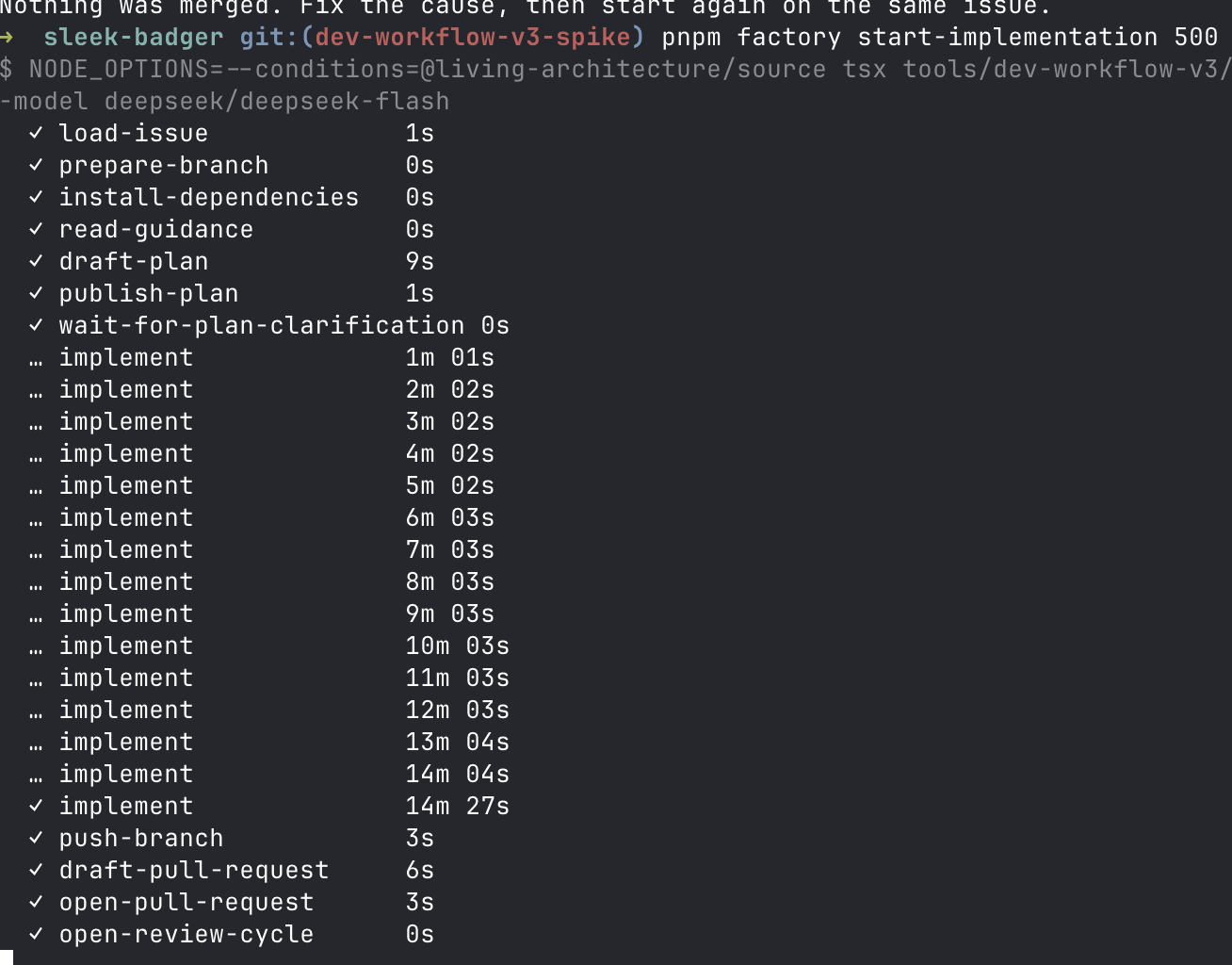
To provide updates to the CLI while the workflow is executing, the basic pattern I use is this:
const state = await mastra.getWorkflow('start-implementation').getWorkflowRunById(runId)
for (const [name, step] of Object.entries(state.steps)) {
  console.log(`${name}: ${step.status}`)
}
While the workflow is running in the background, a timer wakes up every 3 seconds and calls getWorkflowRunById() (this returns a read only instance). Then it’s simply a case of iterating through the workflow steps that have run so far and printing their name and status.
Two things I had to add on top of that. Mastra tells you the status of a step but not how long it took, so I keep a map of step name to start time and print the line the first time a step finishes.
There is also an observeStream() that gives you a readable stream of events. I’ll be looking more into that next.
But the underlying premise is that Mastra stores the full workflow state, in addition to transcripts and logs in its database which you can query and use as you need to. Mine is a SQLite file sitting in the repo, which is one line:
const storage = new LibSQLStore({ id: 'factory', url: 'file:.factory/mastra.db' })Other DBs are supported too. So if you need webscale, you can use MongoDB. Mastra can also ship traces out to an OpenTelemetry backend like Langfuse or Braintrust (more example of all the free stuff you get when you don’t roll your own).
Isolation and guardrails
Mastra gives agents a workspace, which is a filesystem and a sandbox:
new Workspace({
  filesystem: new LocalFilesystem({ basePath: worktreePath }),
  sandbox: new LocalSandbox({ workingDirectory: worktreePath }),
})
That gives the agent tools to read files, write files, list directories and run commands. The filesystem is the boundary that the agent can work in. LocalSandbox runs directly on your machine.
If you want a container instead, you swap the sandbox for ComputeSDKSandbox and name a provider like Docker. I haven’t got this far yet, but it’s a top priority.
import { ComputeSDKSandbox } from '@mastra/workspace-sandbox-computesdk'

new Workspace({
  sandbox: new ComputeSDKSandbox({ provider: 'docker' }),
})
Then there are three guardrails I care about.
For my code review step I don’t want reviewers modifying anything. So it’s nice that there is a readOnly flag that deals with all that.
new LocalFilesystem({ basePath: worktreePath, readOnly: true })If you want to block certain commands the workspace proide hooks.
tools: {
  hooks: {
    beforeToolCall: ({ toolName, input }) => {
      if (toolName !== WORKSPACE_TOOLS.SANDBOX.EXECUTE_COMMAND) return undefined
      if (!input.command.includes('git push')) return undefined
      return {
        proceed: false,
        output: 'Refused: the workflow pushes the branch, not you.',
      }
    },
  },
}
However, there is one thing that disappoints me a little, and it’s the fact I can’t have tool-based rules on a step. However, I think the solution is to simply use a different workspace per step, which kind of makes sense. I’ll come round to it.
A few thoughts to leave you with…
It’s too early for me to give a verdict on Mastra, but based on my trial and errors over the past year and my initial results with Mastra, it solves the problems I have in what I think is the right way. Two of my key drivers are moving towards implementation as a black box, and being decoupled from vendors (at the expense of being coupled to Mastra.) If those aren’t your goals, you might not feel such an attraction to it.
Building on Mastra is more robust and feature-rich than my home-rolled version. I’m glad to not have to maintain that anymore, even if I might lose a bit of freedom. And to be honest, there is a whole suite of tools built around Mastra, and those economies of scope are seriously interesting, like the Mastra server and UI.
At the same time, it seems like the flexibility is still there. You have low level control and access to all the data so you can build your own experiences around it. I haven’t found anything from my home-rolled that I can’t do here.
If I can finally crack the spec to PR part of my dev workflow, I’ll be able to focus more on scaling it to the whole end-to-end experience. Please Mastra, don’t let me down, we have such a great thing going here.