Code quality feedback loops in AI dev workflows
How I use automated post-merge reflection to capture, review, and apply code quality feedback in AI-assisted development workflows.
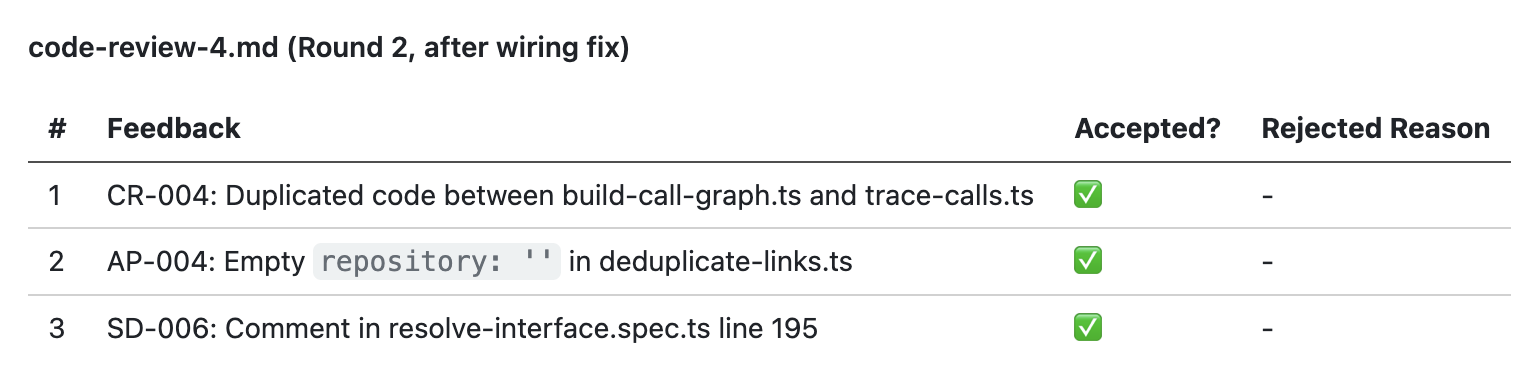
My journeys with AI-assisted development workflows have recently been focused on feedback loops in the process. What I notice is that as more of the mechanical process is automated, it frees up time to focus on improving the quality and building quality in.
The majority of my learnings have been shifting left on the code review process. Typically this will be feedback raised by CodeRabbit on the PR that I try to incorporate into the process so it is caught earlier or doesn’t happen at all.
There are various touch points in the process where feedback can be applied. Sometimes it’s updating CLAUDE.md, sometimes it’s a custom lint rule. But sometimes, it’s actually going much further upstream and improving the quality of the specifications.
There is so much potential here, and I’m pretty sure that 2026 is going to see huge evolution in this space. I think it’s a topic worth investing time in if you’re not already.
Capturing feedback
The first step in incorporating feedback into your process is setting up a system to capture the feedback. My system is very simple. I document all feedback findings from local code review, and github is the source of truth for all feedback added on a PR.
When the PR is finished I have a custom command /post-merge-reflection It gathers all the feedback from the local reviews (that are written to files) and from github and analyzes each item.
Then it creates a report in markdown format i the git repo for me to review. That’s the post-merge-reflection.md in the screenshot.
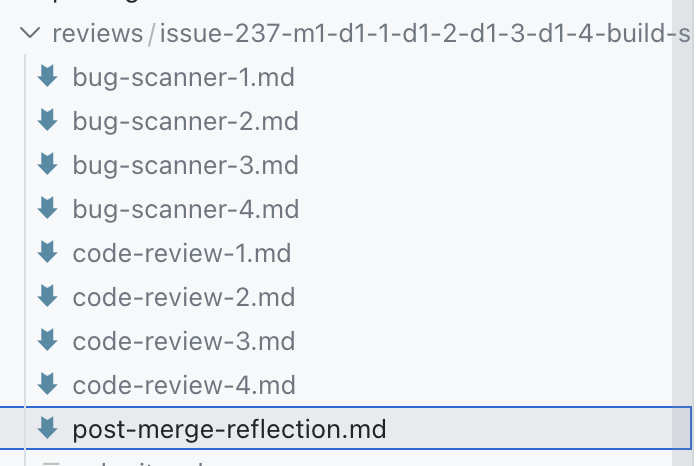 The report lists all of the feedback from each reviewer and the status - was it accepted or rejected, and why?
The codes here like
The report lists all of the feedback from each reviewer and the status - was it accepted or rejected, and why?
The codes here like CR-OO4 correspond to specific code review rules.
Reviewing feedback
After producing the report, Claude waits for me to review it. I look at all of the feedback items, especially those that were caught by CodeRabbit on the PR because I want to catch those locally or prevent making those mistakes in the first place so the process is more efficient.
In those cases, Claude does a 5 whys analysis on why it didn’t catch the issue locally and where it should have been caught. Here, for example, Claude is suggesting the bug-scanner or code-review reviewers should have caught this locally.
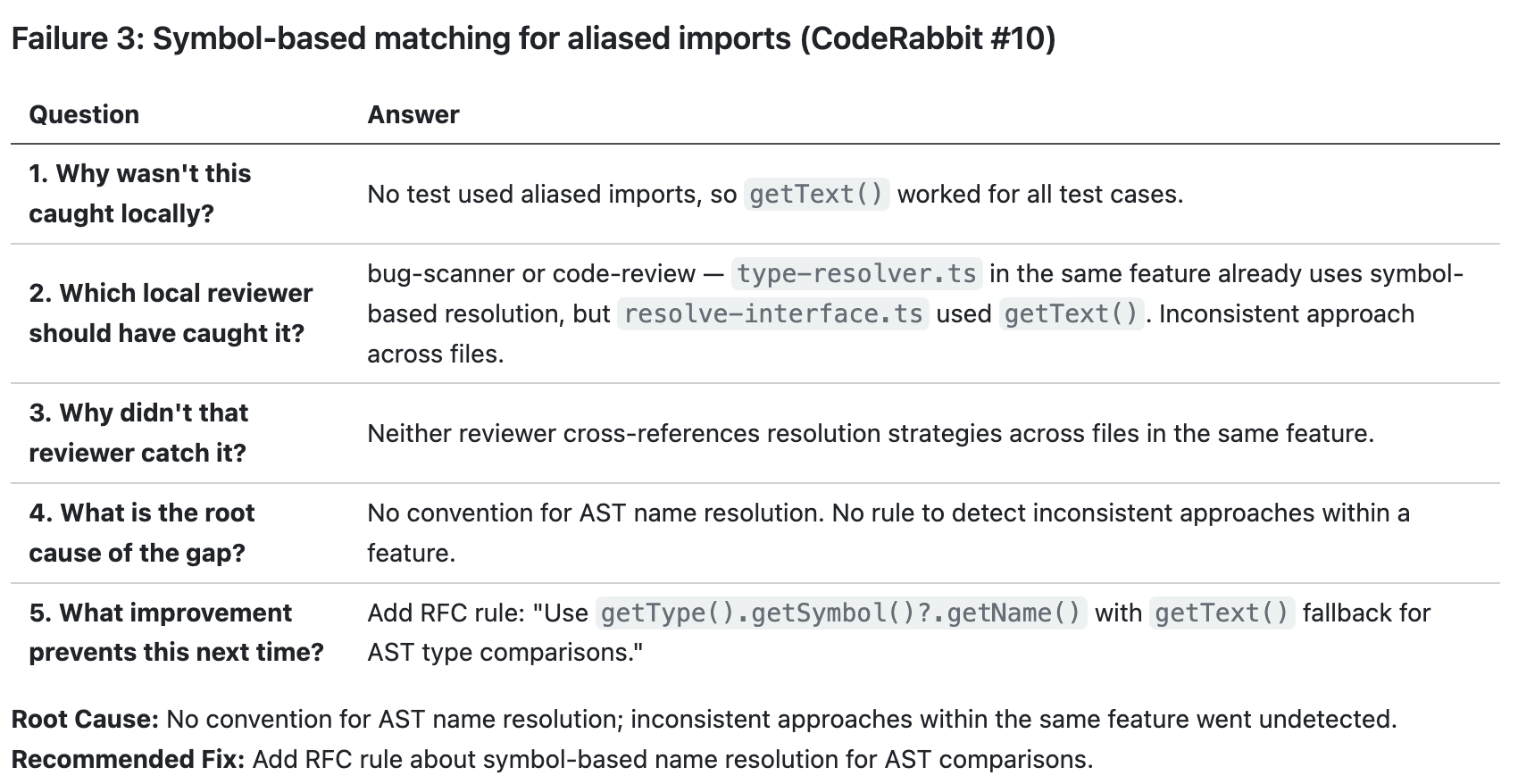 Claude is also proposing a recommended solution so that our
 bug-scanner reviewer will catch it next time.
Applying feedback
After the review, Claude will create follow up issues in the backlog to address all selected issues. And it knows about the kinds of strategies that might be relevant:
- Lint rules: if a rule can be enforced with lint, it’s caught early
- Dependency cruiser: enforce architectural conventions like code in Feature A cannot depend on code in Feature B, or code in the
domainlayer cannot import from theinfralayer. I use an opinionated, vertical-slice architecture so rules are easy to enforce - Convention docs: for rules that can’t be enforced with tools I fall back to documentation files to explain rules. Sometimes I add new rules and sometimes the feedback raises opportunities for improving existing rules like being more specific or breaking 1 large check into multiple smaller sub-checks
- Planning: One of the biggest revelations recently was improving the quality of planning with more detailed RFCs and tasks. There’s always the risk of big up-front design and planning, but I think there is equally the problem of not enough.
- Skills and commands: sometimes the instructions given to Claude can be improved. I.e. better prompts or adding new skills or commands that provide more precise and contextual advice when needed.
Basically: there are too many ways to improve the end-to-end process. Endless possibilities and a lot of it is just about putting in the effort to try and iterate. Fixing things manually is faster, but investing in automating your expertise can pay itself back very quickly, let alone the long-term ROI.
Meta feedback
My /post-merge-completion review is conducted with the agent that implemented the work. I believe this is useful because the agent can explain in more detail why certain choices were made, like producing the 5 whys analysis. But I don’t know for sure, maybe it’s just re-reading the conversation and generating what it thinks is correct.
In any case, I also like to have an external meta review. I’m current using my /session-optimizer for this purpose.
The idea here is to review the full conversation log and analyze how Claude and the user worked together. This looks for things like:
- Wasted cycles, back-and-forth, misinterpretations
- Unused tools, missed parallelism, underutilized capabilities
- Violations of loaded skills
- Missing project context, skill-building opportunities
One of the first times I used this it told me that my agent was getting feedback from the PR and addressing items one-by-one. That means it commits the changes, pushes it, and waits for all the checks to pass.
So we redesigned the workflow to ensure Claude addresses all feedback items in one batch before pushing them to the remote branch. I added a --remaining-feedback-items flag to the command. If Claude doesn’t provide the value 0 the command will fail and tell Claude to implement the remaining changes then push. I can see other ways to improve this process, but for now that’s a clear efficiency improvement.
Building custom tools to improve the feedback cycles
My current workflow is markdown and CLI-driven. But one thing I’ve learned recently is that building custom tools to improve the user experience of custom workflows is incredibly easy.
On other projects, I have a Claude terminal session open on the side where I’m describing a tool or feature I need to make it easier for me to do my job, and Claude is building that while I’m working on something else.
For example, with my colleague Charles Desneuf, we built a legacy modernization tool that built a mikado map of the project and walked us through all of the ADRs to review for the modernization project. We literally described the workflow we wanted and Claude built a whole app to do it. Adding new features is just 1 prompt and takes minutes.
That’s a long way of saying that I have so many ideas to improve this process. What I am currently doing is extremely primitive. There is so much potential, yet even just a small investment can produce great results.